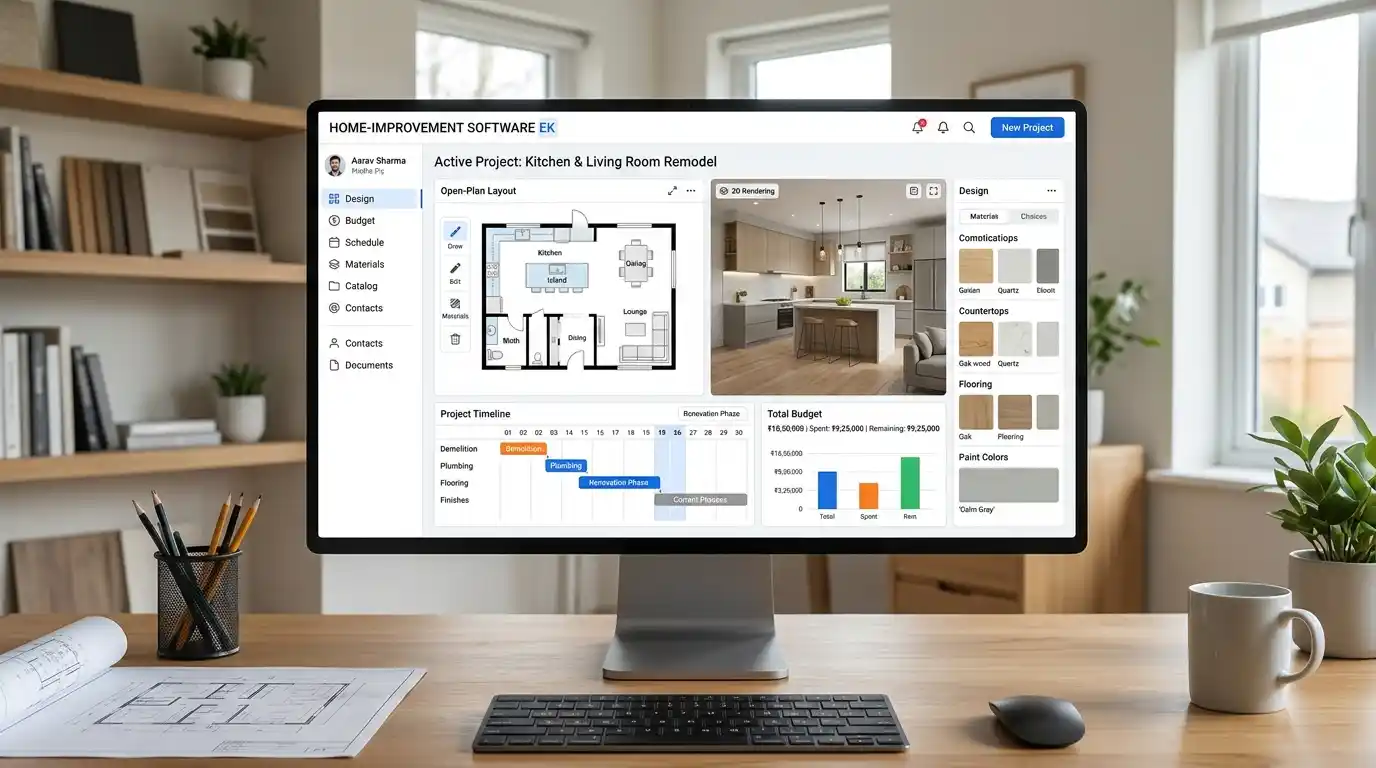
Home improvement software helps homeowners, contractors, and remodeling businesses plan, manage, and complete renovation projects. These tools can support budgeting, design, cost estimates, scheduling, contractor communication, and project tracking. Depending on the software, users can plan a kitchen remodel, manage construction jobs, create 3D room designs, or organize an entire home improvement business.
Key Takeaways
- Home improvement software helps organize renovation projects from planning to completion.
- Homeowners can use design, budgeting, and project planning tools.
- Contractors can manage estimates, schedules, customers, and payments.
- Some platforms offer 3D designs, material planning, and cost calculations.
- The best software depends on project size, budget, and whether you are a homeowner or professional.
Home Improvement Software
Introduction
Home improvement projects often involve several moving parts. Whether you are remodeling a kitchen, updating a bathroom, adding a new room, or managing multiple construction jobs, keeping everything organized can become difficult.
That’s where home improvement software can help. These digital tools make it easier to plan projects, estimate expenses, manage schedules, compare design ideas, and communicate with contractors. Some programs focus on homeowners who want to visualize a renovation, while others help professional contractors manage their businesses.
However, not every tool offers the same features. Choosing the right option depends on your goals, experience, and budget. This guide explains the main types of home improvement software, their uses, important features, and what to consider before choosing one.
What Does Home Improvement Software Mean?
Home improvement software refers to digital applications that help people plan, design, organize, and manage residential renovation or remodeling projects.
These programs can serve two main audiences:
- Homeowners: People who want to plan renovations, estimate costs, organize materials, and visualize changes before construction begins.
- Professionals: Contractors, remodelers, builders, and renovation companies that need tools for estimates, scheduling, customer management, and project tracking.
For example, a homeowner might use design software to see how a new kitchen layout will look. A remodeling contractor might use project management software to assign workers, track expenses, and update clients.
These tools are commonly used for kitchen renovations, bathroom upgrades, flooring installations, painting, roofing, landscaping, and larger residential construction projects.
Why Use Home Improvement Software?
Managing a renovation through scattered notes, spreadsheets, and messages can create confusion. Software brings important project information together.
Here are some major benefits:
- Better organization: Keep project details, documents, and schedules in one place.
- Budget control: Track estimated and actual expenses.
- Faster planning: Organize tasks and deadlines without relying on handwritten lists.
- Improved communication: Share updates with contractors, clients, and team members.
- Design visualization: Preview layouts, colors, and materials before making changes.
- Fewer misunderstandings: Give everyone a clearer picture of the project’s requirements.
The right tool can save time and reduce avoidable mistakes, although it cannot replace professional inspections, accurate measurements, or qualified construction advice.
10 Best Home Improvement Software Options
Home improvement tools serve different purposes. Some help homeowners visualize a room, while others help contractors manage estimates, employees, and renovation projects.
Here are 10 options worth considering in the US market.
1. Houzz Pro
Best for: Professional remodelers and interior designers.
Houzz Pro combines project management, client communication, design tools, and business features. Professionals can use it to create 3D floor plans, prepare proposals, organize product selections, and manage renovation projects.
Useful features:
- 3D floor plans and visualizations
- Client communication and project management
- Estimates and proposals
- Product selections and mood boards
Quick Tip: Consider Houzz Pro if you want design and business management features in one platform.
2. Buildertrend
Best for: Residential builders and established remodeling companies.
Buildertrend helps construction businesses organize projects that involve multiple workers, subcontractors, and deadlines. It provides tools for scheduling, budgeting, estimates, daily logs, and client communication.
Useful features:
- Project scheduling
- Budget and financial tracking
- Change order management
- Client and subcontractor communication
Quick Tip: This platform is worth evaluating if you manage several renovation projects at the same time.
3. Jobber
Best for: Small home improvement businesses and service contractors.
Jobber focuses on everyday business operations. Handymen, painters, and other home service professionals can use it to manage customer information, prepare quotes, schedule jobs, and send invoices.
Useful features:
- Customer relationship management
- Online quotes and invoices
- Job scheduling
- Payment processing
Quick Tip: Choose a service-business platform like Jobber when scheduling and customer management matter more than advanced architectural design.
4. JobTread
Best for: Residential remodelers who need job costing.
JobTread helps contractors manage the financial and operational sides of construction projects. It connects estimates, budgets, scheduling, and project information so businesses can monitor costs throughout a job.
Useful features:
- Estimates and proposals
- Job costing and budgeting
- Project scheduling
- Client communication
Quick Tip: Pay particular attention to its job-costing workflow if tracking actual expenses against estimates is a major concern.
5. Contractor Foreman
Best for: Small and midsize construction companies.
Contractor Foreman provides several construction management tools through one platform. Businesses can use it to organize projects, manage documents, track expenses, schedule work, and handle estimates.
Useful features:
- Construction project management
- Time and expense tracking
- Scheduling and task management
- Estimates and invoicing
Quick Tip: Compare its available modules and user limits before choosing a subscription.
6. Buildxact
Best for: Builders who need estimating and takeoff tools.
Buildxact focuses on residential construction estimating and project management. It can help builders prepare material estimates, calculate quantities from plans, and organize construction costs.
Useful features:
- Digital takeoffs
- Material estimating
- Cost management
- Project scheduling
Quick Tip: Evaluate Buildxact if preparing estimates and calculating material requirements takes up too much time.
7. Chief Architect
Best for: Professional home designers and remodeling architects.
Chief Architect is specialized residential design software. It helps users develop detailed house plans and visualize design changes through 2D drawings and 3D models.
Useful features:
- Residential floor plans
- 3D home visualization
- Building material calculations
- Roof and framing design tools
Quick Tip: This is more suitable for design professionals than homeowners who only need a simple room makeover.
8. Planner 5D
Best for: Homeowners planning room renovations.
Planner 5D makes it easier to create floor plans and visualize interior spaces. Users can arrange furniture, experiment with room layouts, and explore different design ideas without starting with professional CAD software.
Useful features:
- 2D and 3D floor plans
- Interior design visualization
- Furniture and decor placement
- Design customization
Quick Tip: Try a basic design before committing to a paid plan to see whether its features meet your needs.
9. RoomSketcher
Best for: Floor plans and room layouts.
RoomSketcher helps users create floor plans and visualize interior spaces. It can be useful for homeowners planning renovations, real estate professionals, and designers who need clear room layouts.
Useful features:
- 2D floor plans
- 3D floor plans
- Room measurements
- Interior visualization
Quick Tip: Use it to test furniture placement and room layouts before purchasing materials.
10. Sweet Home 3D
Best for: Budget-conscious homeowners and DIY designers.
Sweet Home 3D is a home design application that lets users create floor plans and arrange furniture in virtual rooms. It is particularly useful for people who want a practical design tool without immediately paying for a professional platform.
Useful features:
- 2D home layouts
- 3D room previews
- Furniture placement
- Custom room planning
Quick Tip: Consider it for basic DIY planning, but check whether its design capabilities are sufficient for your renovation.
Comparison Table
| Software | Best Used For | Main Strength |
|---|---|---|
| Houzz Pro | Remodeling businesses | Design and business management |
| Buildertrend | Residential builders | Project management |
| Jobber | Small contractors | Scheduling and customer management |
| JobTread | Remodelers | Job costing |
| Contractor Foreman | Construction companies | Multiple management tools |
| Buildxact | Builders | Estimating and takeoffs |
| Chief Architect | Design professionals | Advanced home design |
| Planner 5D | Homeowners | 2D and 3D planning |
| RoomSketcher | Homeowners and designers | Floor plans |
| Sweet Home 3D | DIY homeowners | Accessible home design |
Note: These products are not direct substitutes for one another. Their features, subscription limits, and pricing vary. Check each provider’s current plans before purchasing.
How to Choose the Right Home Improvement Software
Before purchasing a subscription, identify the problems you want the software to solve. A homeowner planning one bathroom renovation has different needs from a contractor managing 20 active jobs.
Consider these factors:
- Project requirements: Decide whether you need design, estimating, scheduling, or complete project management.
- Ease of use: Choose software that you and your team can learn without extensive training.
- Budget: Compare monthly and annual costs, user limits, and additional fees.
- Mobile access: Look for mobile apps if you need to update information from construction sites.
- Integrations: Check whether the software connects with your accounting, payment, or communication tools.
- Customer support: Review available training, tutorials, and technical assistance.
A useful approach is to test the software with a real project before moving all your information into it.
Common Mistakes When Choosing Home Improvement Software
Choosing the wrong platform can waste money and create more work. Avoid these five common mistakes.
1. Choosing software based only on price
A cheap subscription might lack important features. Compare the total cost with the time and work the software can save.
2. Ignoring your project type
A room design application cannot replace contractor management software. Make sure the platform supports your actual work.
3. Paying for unnecessary features
Some platforms offer advanced reporting, automation, and business tools that smaller companies may never use. Start with the features you need.
4. Forgetting mobile compatibility
Contractors often work away from their offices. Software without convenient mobile access can make job updates and communication difficult.
5. Not testing the software first
A long feature list does not guarantee a good experience. Use a free trial or request a demonstration when available, and test important workflows before purchasing.
Frequently Asked Questions
1. What is the best home improvement software?
The best option depends on your requirements. Houzz Pro and Buildertrend are worth comparing for professional remodeling businesses. Planner 5D, RoomSketcher, and Sweet Home 3D are useful for homeowners who want to plan interior spaces and visualize design ideas.
2. Is there free home improvement software?
Yes. Some home design applications offer free plans or free versions. Sweet Home 3D is a free, open-source option, while Planner 5D and RoomSketcher offer free entry-level options. However, advanced features, exports, and additional design resources may require payment.
3. What software do professional home remodelers use?
Professional remodelers use different platforms depending on their business size and services. Buildertrend, Houzz Pro, JobTread, and Contractor Foreman are examples of tools used for project management, estimating, scheduling, budgeting, and client communication.
4. Can home improvement software estimate renovation costs?
Yes. Some construction and remodeling platforms include estimating features that help calculate labor, materials, and project expenses. Buildxact and JobTread are options worth exploring. Remember that estimates depend on accurate measurements, material prices, labor rates, and project requirements.
5. Is home design software different from remodeling software?
Yes. Home design software focuses on floor plans, room layouts, furniture placement, and 3D visualization. Remodeling software often includes business features such as project scheduling, estimates, budgets, and client management. Some platforms combine both types of functionality.
6. What is the best software for planning a kitchen remodel?
Planner 5D, RoomSketcher, and Chief Architect can help visualize kitchen layouts and design changes. Professional remodeling platforms such as Houzz Pro can also connect design planning with project management. Your choice depends on whether you need simple visual planning or professional design tools.
7. Can contractors manage multiple renovation projects with software?
Yes. Project management platforms help contractors organize multiple jobs, assign tasks, track deadlines, store documents, and communicate with clients. Buildertrend and JobTread are examples worth considering for residential remodeling businesses that handle several projects simultaneously.
8. What features should I look for in home improvement software?
Look for features that match your project needs. Homeowners may prioritize floor plans, 3D visualization, and budgeting. Contractors may need estimating, scheduling, job costing, customer management, invoicing, mobile access, and change order tracking.
Conclusion
Home improvement software can make renovation planning and project management easier for homeowners and professionals. The right platform helps organize tasks, monitor expenses, visualize design changes, and keep important project information in one place.
However, the best choice depends on how you plan to use it. Homeowners working on DIY renovations can explore Planner 5D, Room Sketcher, or Sweet Home 3D. Professional designers may prefer Chief Architect, while contractors can compare Houzz Pro, Buildertrend, Jobber, and JobTread.
Before making a decision, compare the features, pricing, mobile access, and learning curve of each platform. Test the most important functions with a real project whenever possible.

I am writing about Rick Riordan, a famous American author best known for creating the popular Percy Jackson & the Olympians series. I am highlighting his talent for combining mythology with modern storytelling, which has made his books loved by millions of readers around the world. On namezvibez.com, I am exploring his creative writing style, bestselling novels, and the impact he has had on young readers and fantasy literature.